
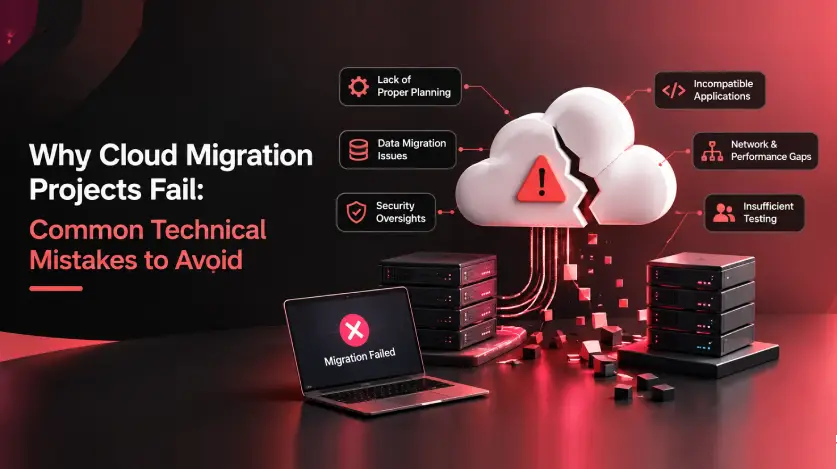
Why Cloud Migration Projects Fail: Common Technical Mistakes to Avoid
A practical, phased framework to plan, secure, and control costs on your next move to the cloud.
Cloud migration has moved from an experimental initiative to a default infrastructure strategy. Nearly every enterprise now runs at least one workload in the cloud, drawn by the promise of elasticity, resilience, and lower operating costs. Yet the gap between that promise and reality remains wide: a large share of migration projects still overshoot their budgets, miss their planned go-live dates, or fail to deliver the performance gains that justified the move in the first place.
The uncomfortable truth is that most cloud migration failures are not caused by the cloud itself. They are caused by predictable, well-documented technical mistakes made during planning and execution — mistakes that are entirely avoidable with the right approach. This article walks through the most common technical pitfalls behind failed cloud migrations and lays out a practical framework you can use to avoid becoming another cautionary tale.
What the Numbers Actually Say
Cloud adoption is now nearly universal, yet a significant share of migration initiatives fail to fully deliver the benefits they promised.
Incompatible legacy technology and skills shortages are consistently cited among the top reasons migrations fail or run over schedule.
A meaningful share of organizations have pulled at least one workload back from the public cloud, most often because of unmanaged costs or performance mismatches.
Roughly one in three migration projects exceeds its original budget, and a similar share misses its planned timeline.
8 Technical Mistakes That Sink Cloud Migration Projects
Every one of the failures below is preventable. Recognizing them early — ideally before the first workload moves — is what separates a smooth migration from a stalled one.
Skipping a Real Cloud Readiness Assessment
Teams often jump straight into moving workloads without first mapping application dependencies, data flows, and technical debt. Without this baseline, it's impossible to know which applications are cloud-ready, which need re-architecting, and which shouldn't move at all.
- Run a full application and dependency discovery before writing a single migration plan.
- Classify workloads by complexity, compliance sensitivity, and business criticality.
Treating "Lift-and-Shift" as the Finish Line
Rehosting an application exactly as it ran on-premises is often the fastest way to move, but it frequently just relocates old inefficiencies onto more expensive cloud infrastructure. Monolithic architectures, hardcoded IPs, and on-prem-tuned database configurations rarely perform well untouched.
- Treat lift-and-shift as a starting point, not an end state — plan a re-architecture phase for high-value workloads.
- Right-size compute and storage for cloud-native pricing models instead of copying on-prem specs.
Underestimating Data Migration Complexity
Data migration is consistently one of the most underestimated parts of any project. Legacy formats, inconsistent schemas, and large data volumes create validation and synchronization challenges that basic "copy and paste" migration tools cannot handle.
- Build a data validation and reconciliation plan before, during, and after cutover.
- Use incremental or phased data replication to reduce cutover risk on large datasets.
Getting this right at scale often requires strong data engineering practices, particularly for building reliable pipelines, validation logic, and data workflows that can support the migration and beyond.
Overlooking Network Architecture and Latency
Cloud environments introduce new network paths between users, on-premises systems, and cloud-hosted services. Teams that don't redesign network topology often discover latency, bandwidth, and DNS issues only after go-live, when users start complaining about slow applications.
- Design VPC/VNet topology, peering, and hybrid connectivity before migration, not after.
- Load-test cross-region and hybrid-cloud latency under realistic traffic conditions.
Bolting On Security After the Fact
Security is frequently treated as a final checklist item rather than a design principle. Overly permissive IAM roles, unencrypted storage buckets, and unmonitored network paths are among the most common causes of post-migration breaches and compliance failures.
- Apply least-privilege access and encryption-by-default from day one of the migration design.
- Map every workload against relevant compliance requirements before, not after, cutover.
No Cost Governance or FinOps Discipline
Cloud's pay-as-you-go model is a double-edged sword. Without tagging, budgets, and usage monitoring in place from the start, costs spiral quickly — and unmanaged spend is one of the leading reasons organizations end up reversing parts of their migration.
- Set up cost allocation tags, budgets, and automated alerts before workloads go live.
- Review reserved-instance, savings-plan, and autoscaling options as part of the migration design, not an afterthought.
Insufficient Testing and No Rollback Plan
Migrations are often tested for functional correctness but not for performance under real load, failover behavior, or disaster recovery. When something breaks post-cutover, teams without a rollback plan are forced to troubleshoot live in production.
- Run performance, load, and failover testing in a staging environment that mirrors production.
- Define and rehearse a rollback procedure for every workload before cutover, not during an incident.
Mature DevOps automation practices can make staging, testing, and rollback more consistent and repeatable.
Underinvesting in Skills and Change Management
Cloud platforms operate differently from on-premises infrastructure, and teams without adequate training end up misconfiguring services or reverting to old habits that don't translate well. Migration plans that ignore the human side of change tend to stall after go-live.
- Invest in structured, platform-specific training well ahead of migration milestones.
- Assign clear post-migration ownership so operational knowledge doesn't stay siloed with the migration team.

A Practical Framework for Migration Success
Avoiding these mistakes comes down to following a disciplined, phased approach rather than treating migration as a single cutover event. The widely used "6 R's" framework — a core pillar of broader IT modernization strategy — helps map each workload to the right migration strategy instead of defaulting to a one-size-fits-all approach:
Rehost
Risk: LowSpeed matters more than optimization; app is stable as-is.
Replatform
Risk: Low–MediumMinor optimizations (managed DB, containers) add clear value.
Refactor
Risk: Medium–HighApp needs cloud-native scalability or performance gains.
Repurchase
Risk: LowA SaaS alternative already meets the business need.
Retain
Risk: NoneCompliance, latency, or dependency constraints block migration.
Retire
Risk: NoneThe workload is redundant or no longer used.
Pair the right strategy per workload with three non-negotiable phases: a discovery and assessment phase that maps dependencies and risk, a pilot migration on a low-risk workload to validate the architecture, and a phased production rollout with rollback checkpoints built in at every stage. Organizations that follow this sequence consistently see fewer cutover incidents and far tighter cost control than those that migrate in one large, unphased push.
1. Discovery & Assessment
Map dependencies and risk for every workload in scope before anything moves.
2. Pilot Migration
Validate the architecture on a low-risk workload before broader rollout.
3. Phased Rollout
Move to production in phases, with rollback checkpoints built in at every stage.
If your team is planning a migration and wants a second set of eyes on architecture, security, or cost design before committing to a timeline, our cloud migration and infrastructure advisory team can help you validate the approach before the first workload moves.

Before You Migrate, Make Sure You Have:
| Checklist Item | |
|---|---|
| A completed dependency and readiness assessment for every workload in scope | |
| A workload-by-workload migration strategy (rehost, replatform, refactor, repurchase, retain, or retire) | |
| Security and compliance controls designed in from the start, not added later | |
| Cost governance — tagging, budgets, and alerts — configured before go-live | |
| A tested rollback plan for every cutover, rehearsed before it's needed |
Frequently Asked Questions
Why do most cloud migration projects fail or run over budget?
Most failures trace back to insufficient upfront assessment, unmanaged cloud costs, and treating migration as a one-time lift-and-shift rather than a phased re-architecture effort. Security gaps and skills shortages compound these issues once workloads are live.
Is lift-and-shift a bad migration strategy?
Not inherently — it's often the fastest way to get a workload off legacy infrastructure. The mistake is stopping there. Workloads that need better performance or lower cost usually require a follow-up replatform or refactor phase.
How long should a cloud migration project take?
Timelines vary widely by workload complexity, but rushing the discovery and assessment phase is the single biggest predictor of schedule slippage later. A realistic plan budgets meaningful time for assessment and testing, not just the cutover itself.
What's the biggest technical risk during cutover?
Untested failover and the absence of a rehearsed rollback plan. Many outages that make headlines happen not because the migration itself was flawed, but because there was no safe way to reverse course when something didn't behave as expected.
How do we control cloud costs after migration?
Implement resource tagging, budgets, and automated usage alerts before workloads go live, then review reserved capacity and autoscaling policies on a regular cadence. Cost governance works best as an ongoing discipline, not a one-time setup task.
Planning a cloud migration and want to avoid these pitfalls from day one?
Get expert guidance on architecture, security, and cost design — before the first workload moves.
Contact Us to Get Started